Hi, I'mLászló Szalai

Front-End Developer crafting beautiful, performant web experiences

I transform ideas into elegant digital solutions with modern technologies, pixel-perfect design, and seamless user interactions.

Scroll Down

Featured Projects

A selection of my recent work showcasing modern web development

Real software in production
Regnology Reporting Hub
Click to expand

Regnology Reporting Hub

Fintech regulatory reporting software widely used by renowned financial institutions

Regnology Reporting Hub detailed view

Project Overview

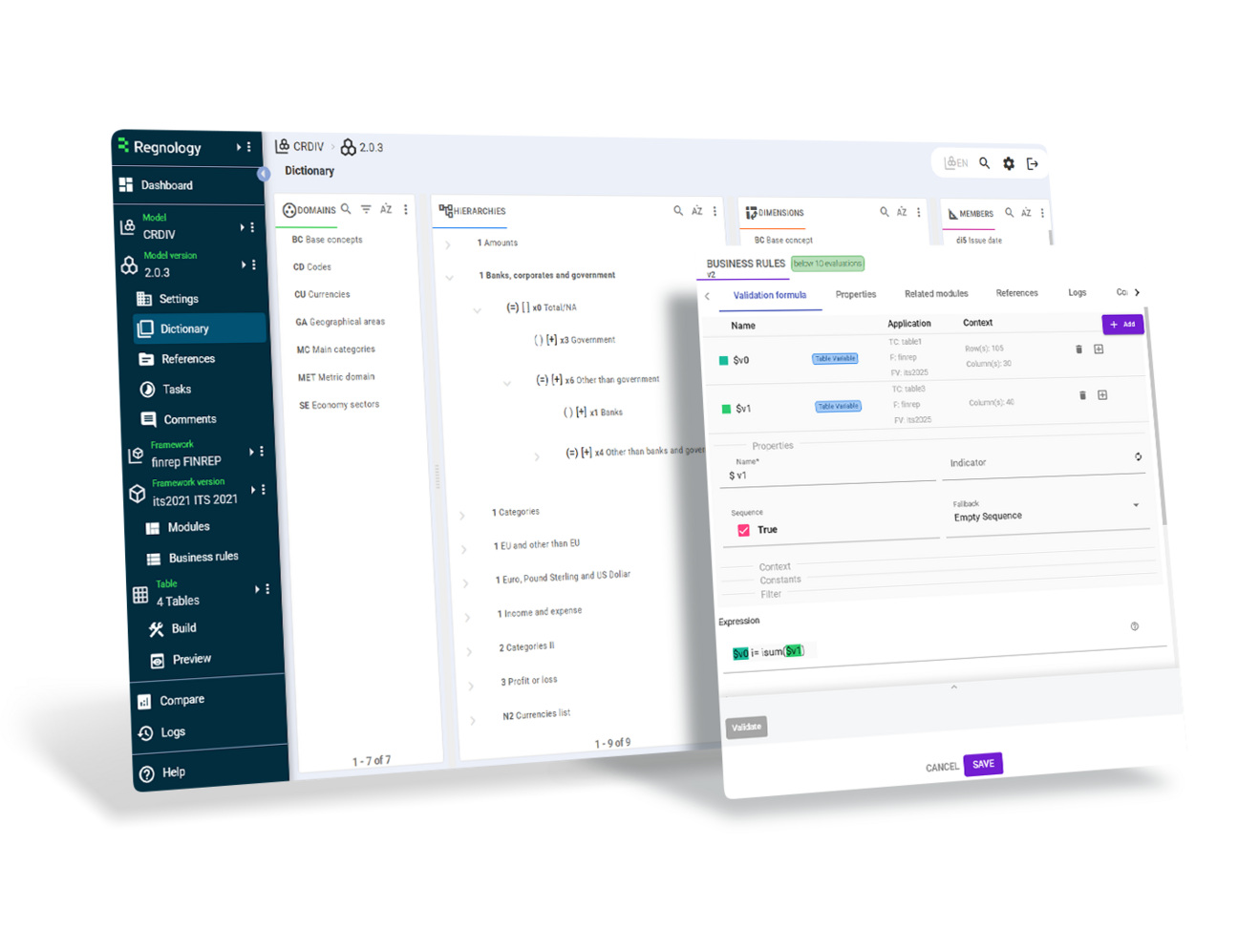
The Reporting Hub is Regnology's cloud-first regulatory reporting platform, used by banks and financial institutions across the world to manage every stage of the reporting process. It operates on very large, granular datasets and provides high-precision validation, exception handling, and complex table-based data exploration for professional users. I worked as a Senior Software Engineer on the front-end team, building UI components and interaction patterns that support automated workflows, dynamic spreadsheets, and advanced oversight tools. Working closely with product owners and back-end engineers, I delivered features that improve data quality, streamline exception resolution, and give users clearer visibility and control over their reports. The platform demands reliability — especially when handling millions of data points under strict regulatory rules. With no dedicated designer, I self-taught design and UX principles to ensure that complex, high-density screens remained clear, consistent, and efficient for analysts who depend on speed and accuracy in their daily work. This project represents my most recent experience in large-scale, high-precision front-end development within a regulated, mission-critical environment.
ReactNode.jsZustandGraphQLRedisMaterial UIHandsontableTypeScriptVitestPlaywrightReact Testing Library
Regulatory Operations Table System
Click to expand

Regulatory Operations Table System

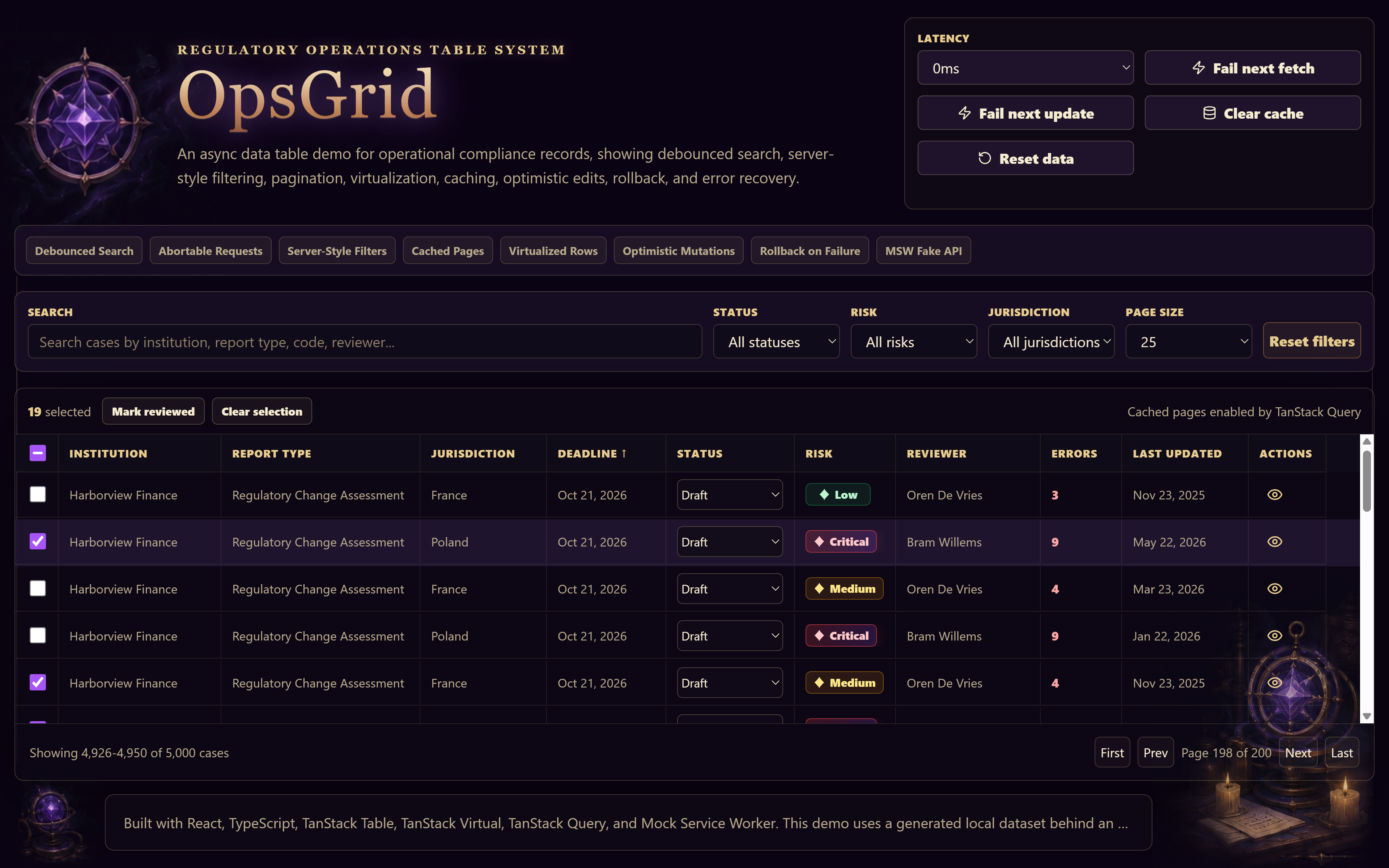
An async data table demo for operational compliance records, showing debounced search, server-style filtering, pagination, virtualization, caching, optimistic edits, rollback, and error recovery.

Regulatory Operations Table System detailed view

Project Overview

This demo shows how a complex frontend interface handles real-world data interaction patterns. The application presents a regulatory operations table with debounced search, server-style filtering, pagination, virtualization, caching, optimistic edits, rollback, and error recovery. It is designed as a focused frontend systems demo rather than a full business application. A key part of the project is the separation between UI state and async server-like state. The table supports responsive user interactions while simulated API behavior introduces latency, failure states, cached results, and mutation recovery. This makes the demo useful for showing how a frontend can remain stable and predictable even when data is delayed, updated, or temporarily unavailable. One implementation challenge involved the expandable architecture footer. In Chromium-based browsers, a focusable truncated text element could lose its visible ellipsis on focus, even though the standard `overflow`, `text-overflow`, and `white-space` rules were correctly applied. I solved this by preventing text-selection behavior from interfering with the collapsed state while keeping the footer keyboard-accessible. The tradeoff was intentional: the footer text is not selectable, but the visual behavior remains reliable. OpsGrid demonstrates my interest in building data-heavy React interfaces that are clear, resilient, and polished. It focuses on the kind of frontend engineering often needed in internal tools, regulatory software, operational dashboards, and expert-user applications.

ReactTypeScriptViteTanStack TableTanStack QueryTanStack VirtualMSWCSS Modules
Formlane
Click to expand

Formlane

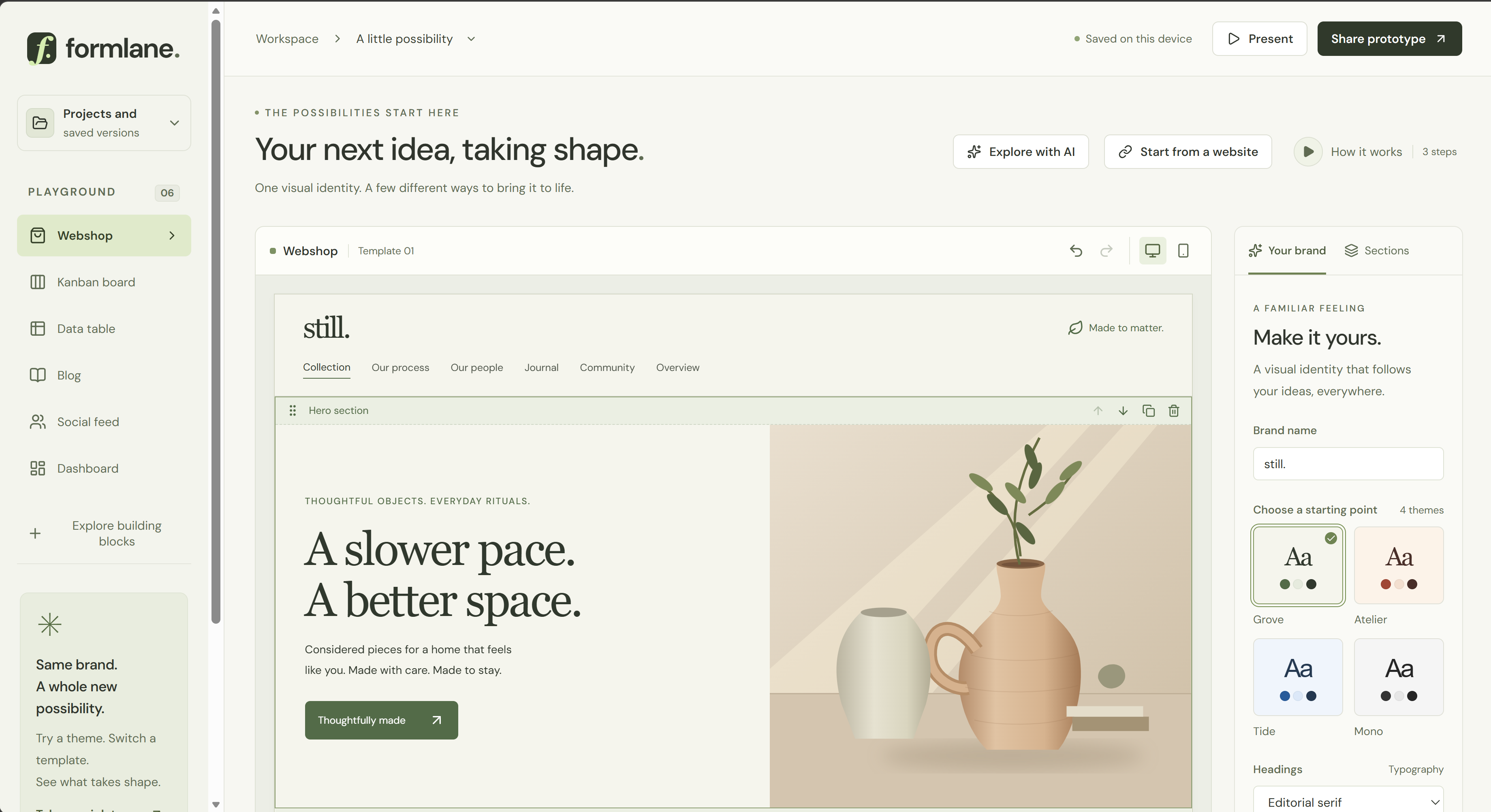
A browser-based visual prototyping workspace for exploring ideas during meetings.

Formlane detailed view

Project Overview

Formlane is a browser-based visual prototyping workspace for exploring ideas during meetings. Users can import a website’s visual style by entering its URL, review the detected theme, and apply it across all templates. Colors and shapes can be fine-tuned interactively, while content can be edited, rearranged, or enriched with imported text and tables. Prototypes can be saved, shared, and developed further as the discussion unfolds. An introduction video explains the workspace, and an AI assistant helps users refine their prototypes. The idea grew out of my continuing interest in carefully crafted web design. I envisioned a set of tools for applying a website’s visual identity to different content and bringing existing content into editable prototypes. With that direction established, I combined AI assistance with my experience in TypeScript, React, Vite, Vitest, Playwright, LLMs, chatbots, and video production to build Formlane. I collaborated closely with the coding agent, reviewed its changes carefully, and regularly challenged its solutions to achieve the quality and performance I wanted. One example was the drag-and-drop interaction: the dragged card initially appeared far to one side of the cursor, making placement awkward. I caught this through my regular practice of manually testing each new feature. This attention to small interaction details was an essential part of my development process.

ReactTypeScriptViteNode.jsNetlify FunctionsGemini APIGemini Live APIWeb Audio APIdnd-kitCheerioPostCSSZodVitestPlaywright
Styler — Interactive CSS Style Explorer
Click to expand

Styler — Interactive CSS Style Explorer

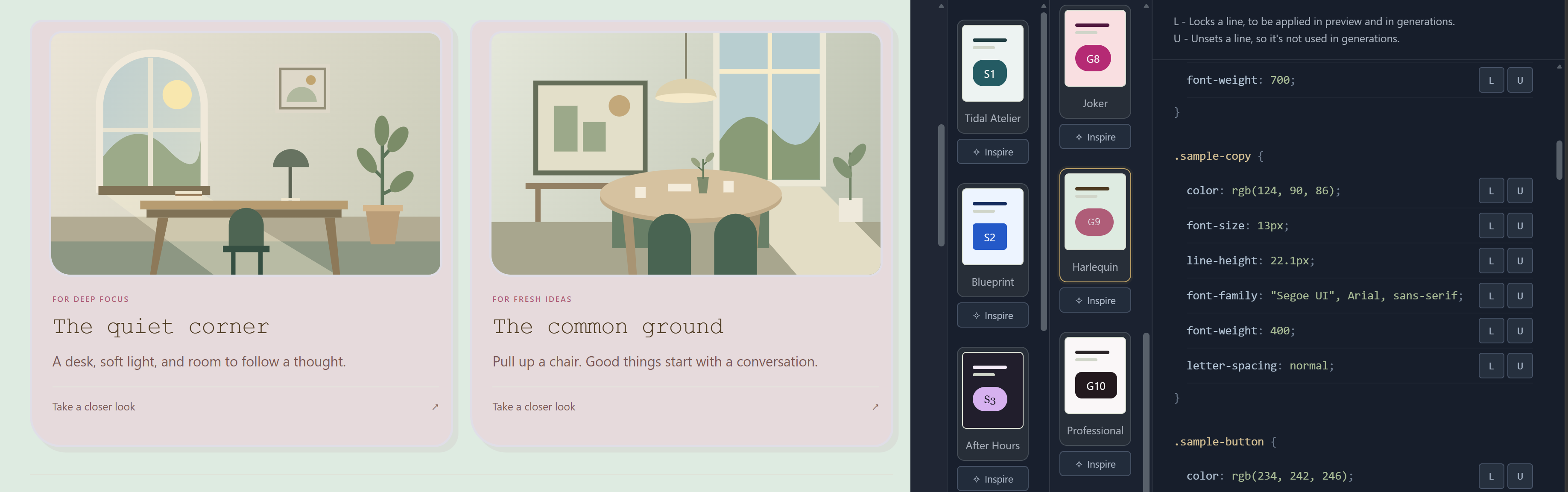
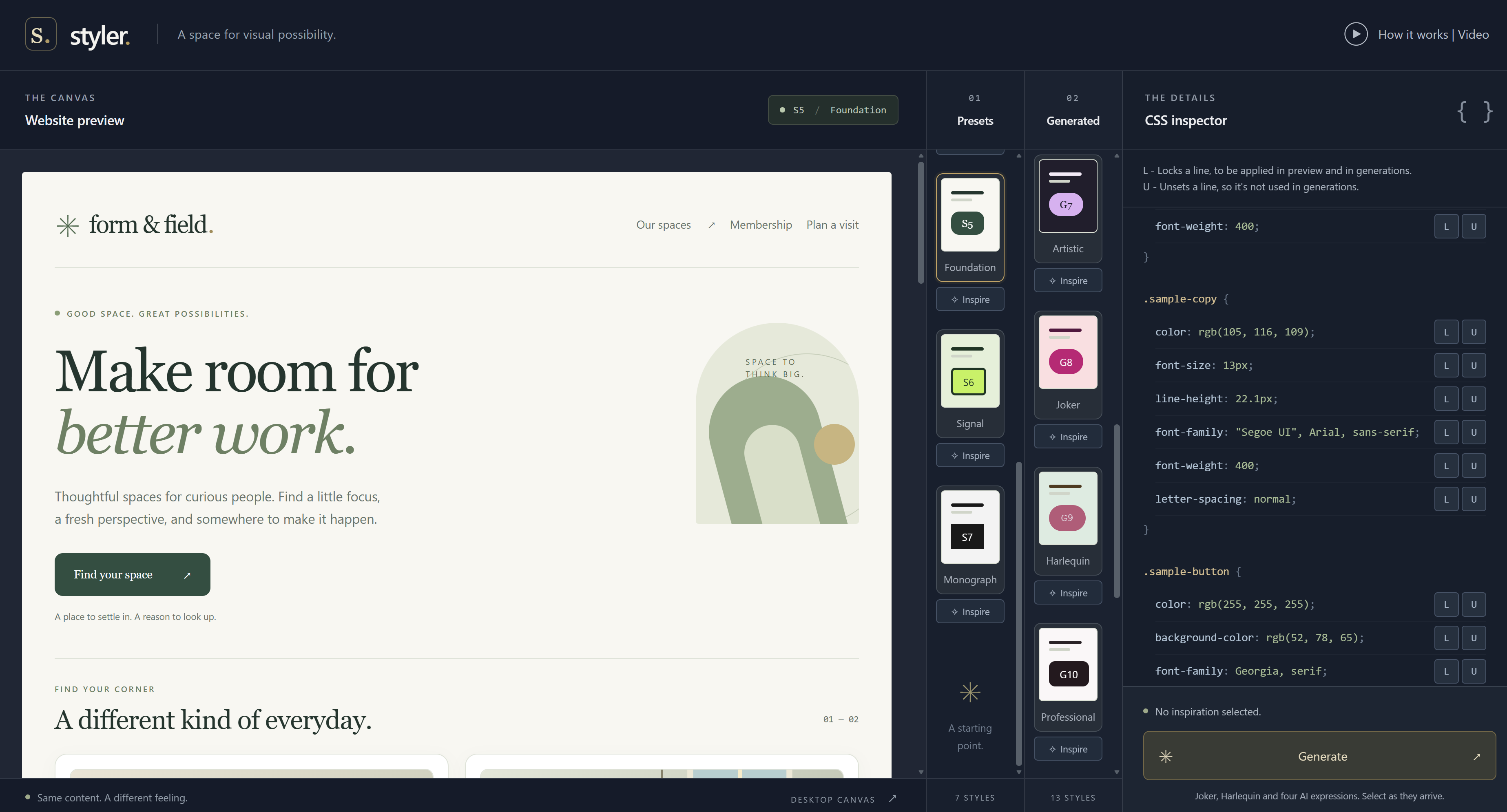
Explore website styles in a live preview, inspect computed CSS, and preserve selected declarations while generating new variations.

Styler — Interactive CSS Style Explorer detailed view

Project Overview

Styler is a desktop website style explorer built with React and TypeScript. Users can compare curated styles, inspect the preview’s computed CSS, and lock selected declarations while exploring local color variations and AI-generated designs. A separate inspiration selection guides generation without changing the current preview. The preview lives in a persistent ShadowRoot, isolating its CSS from the application while preserving form values and interaction state across style changes. Declaration locks work with the browser’s native cascade, and original styles remain separate from live overrides. Generation delivers results progressively with at most two AI requests running at once. Each batch captures its original constraints and inspiration, so users can continue editing without changing requests already in progress. Clear feedback identifies when results use earlier inputs, and failed results can be retried individually with their original context. The project combines browser CSS fundamentals with asynchronous React interaction design. Server-side style validation and provider credentials, reduced-motion support, and automated browser checks support a predictable editing experience.

ReactTypeScriptCSSShadow DOMViteNode.jsGemini APINetlify FunctionsNetlify BlobsPlaywright
Secret World
Click to expand

Secret World

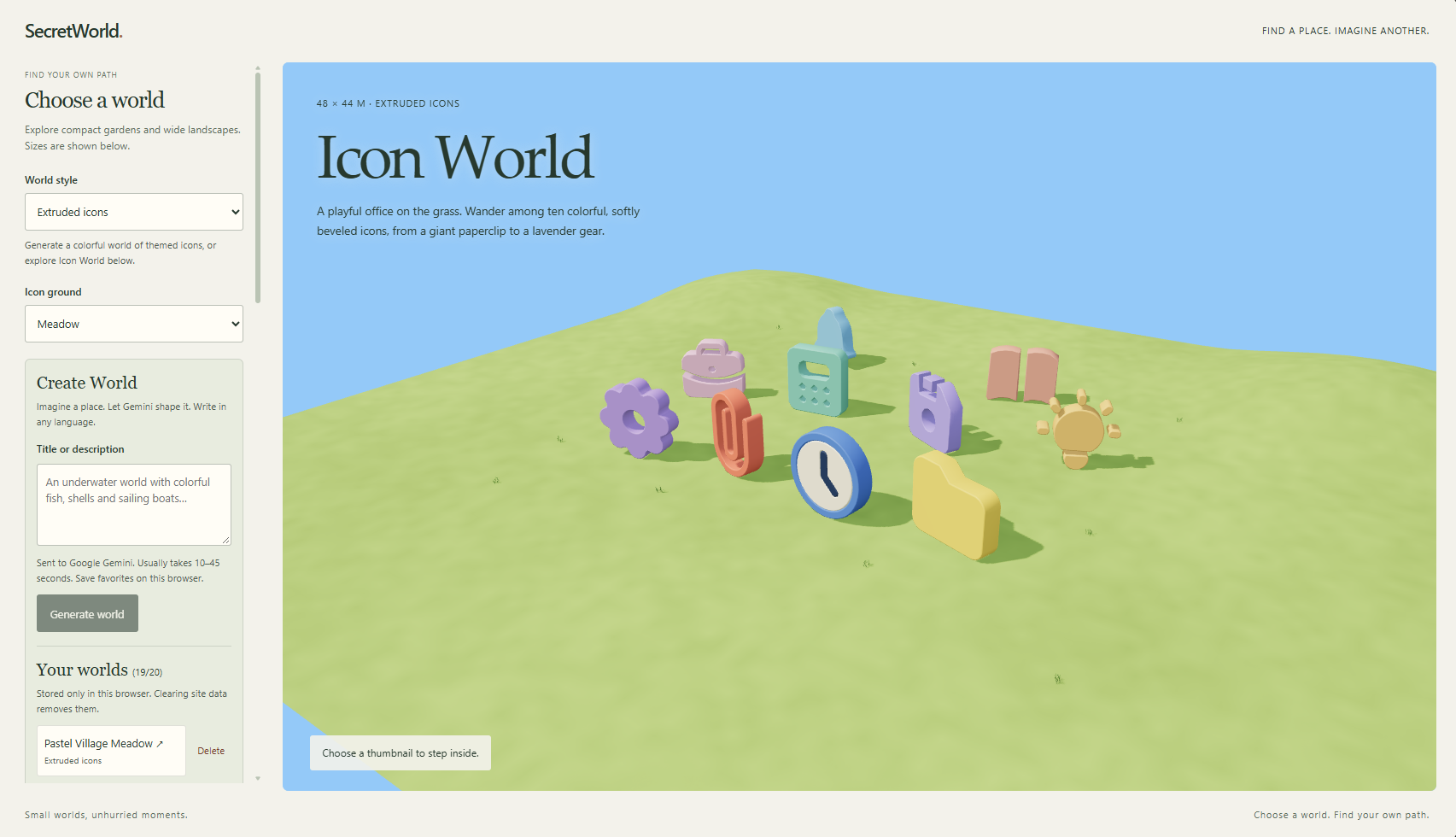
An interactive 3D world explorer with Gemini-powered landscape and icon-world generation.

Secret World detailed view

Project Overview

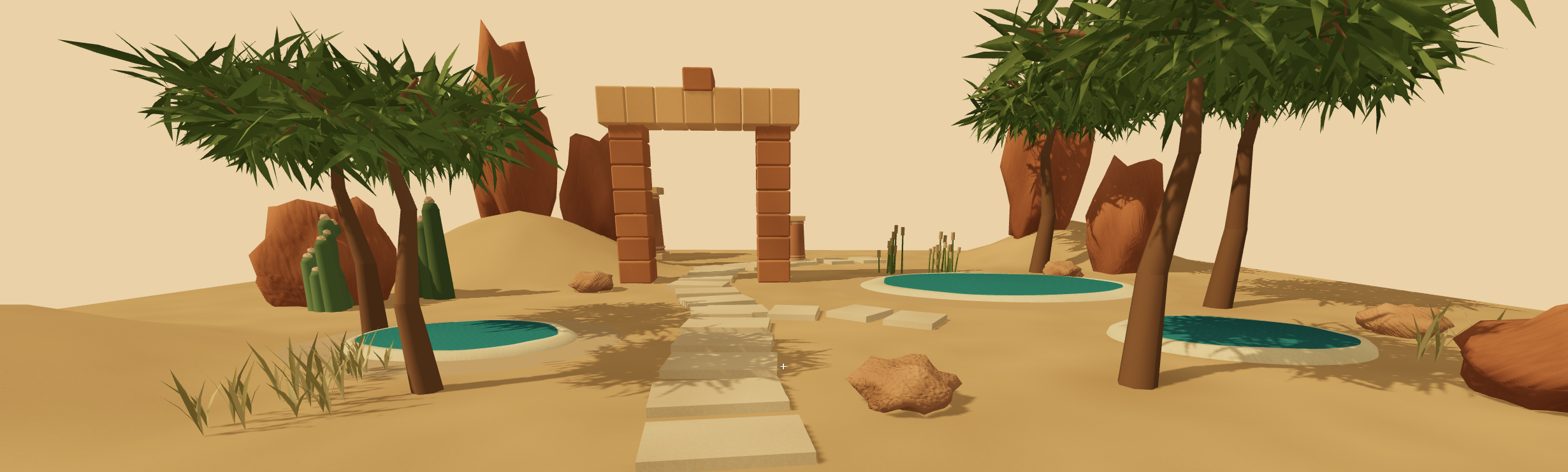
Secret World is a browser-based 3D experience for exploring small gardens, open landscapes, and playful worlds made from extruded icons. Users can browse built-in scenes, step inside with first-person walking controls, or describe a place and let Gemini generate a new world. Favorite creations can be saved locally and revisited, while JSON import supports exploring shared world blueprints. Built with React, TypeScript, Three.js, and React Three Fiber, the application combines procedural terrain, reusable scene objects, collision-aware movement, and adaptive rendering detail. The interface connects a thumbnail-based world browser with an immersive walking view, while instanced vegetation and on-demand rendering help manage the cost of detailed scenes. A central engineering challenge is turning an AI-generated description into a usable environment. Gemini returns a structured blueprint rather than executable code. Server-side validation checks the blueprint and its layout before compiling it into the scene, including object boundaries, terrain constraints, and a safe starting position in a connected walking area. The generation flow also handles cancellation and recoverable errors so users can continue exploring their current world.

ReactTypeScriptThree.jsReact Three FiberWebGLViteGemini APINetlify FunctionsZodVitestPlaywright
Bookworm
Click to expand

Bookworm

A book discovery app combining an immersive 3D library, a searchable catalog, and personal collections.

Bookworm detailed view

Project Overview

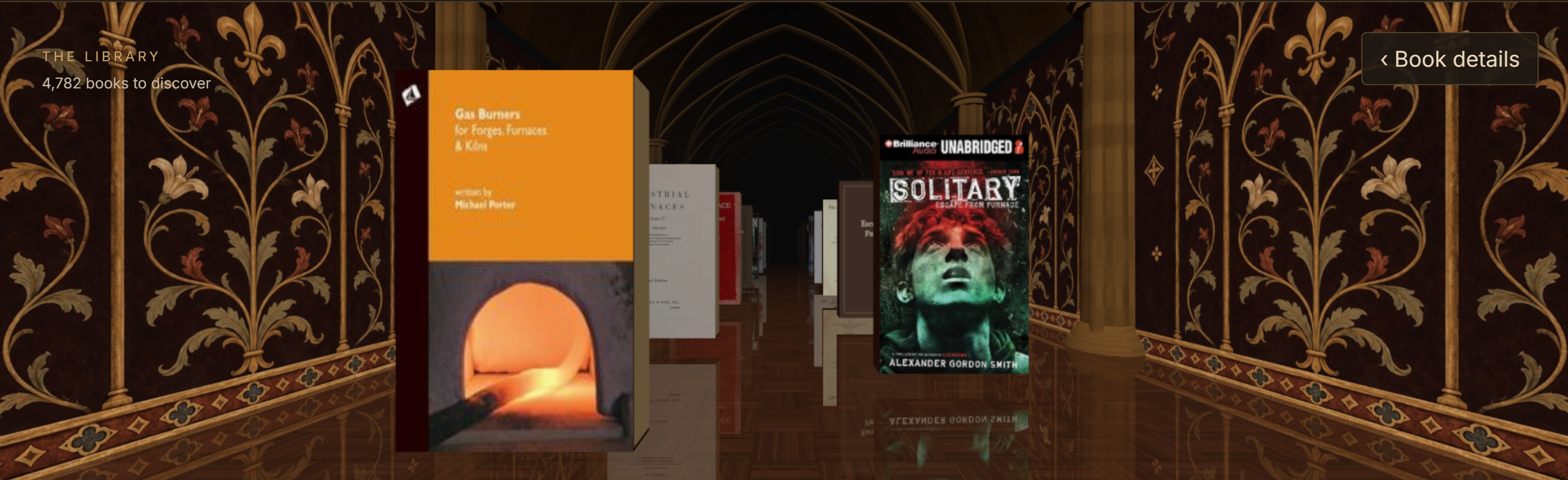
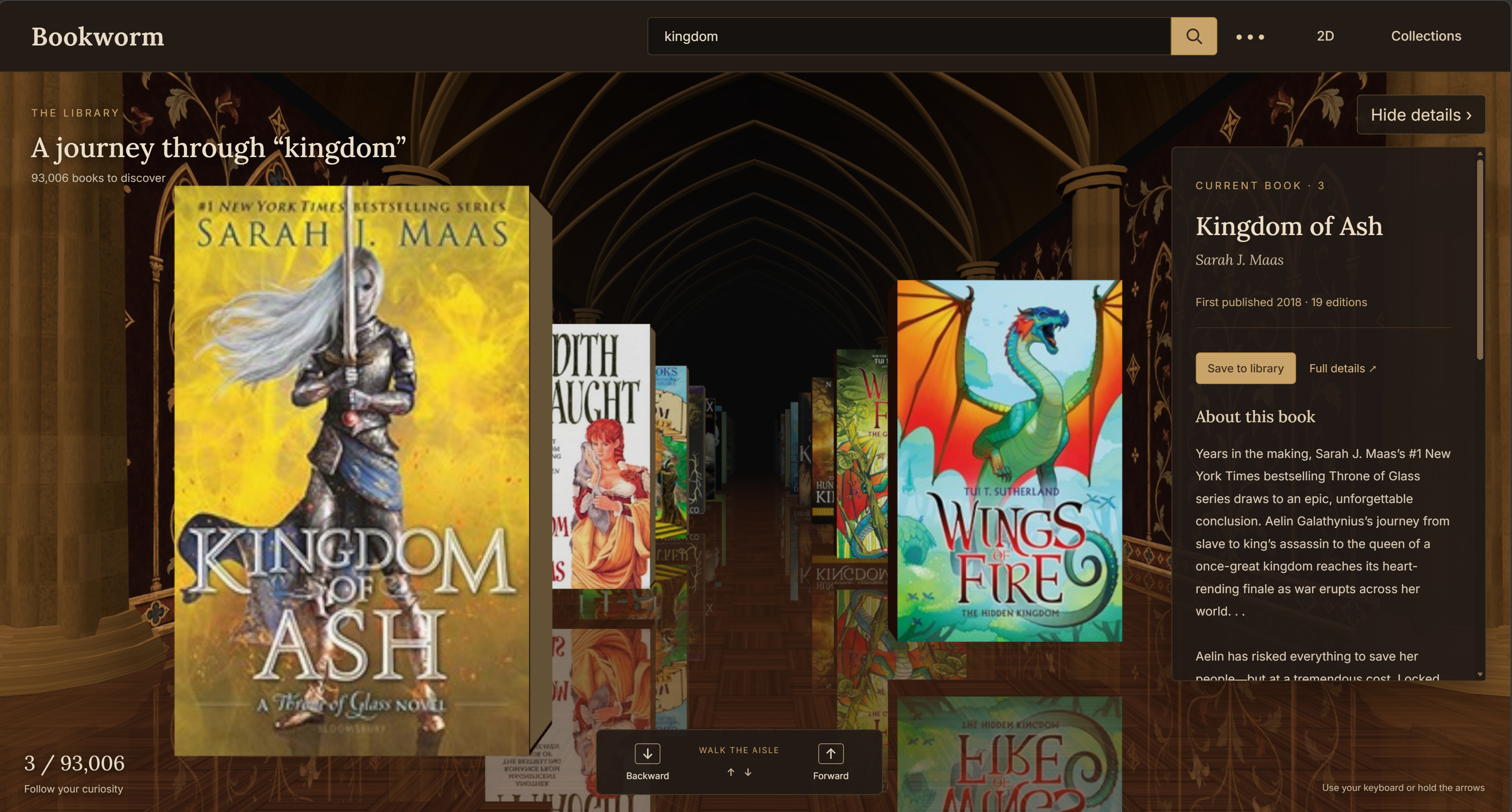
Bookworm turns Open Library search results into a walk through a Gothic-style library. Users move along an aisle of book covers beneath a vaulted ceiling, surrounded by stone columns, patterned walls, and a reflective parquet floor. Keyboard and on-screen controls move the camera forward and backward, while a details panel follows the current book and lets users save it to their library. The 3D experience shares search, filters, and book data with a conventional paginated 2D catalog. More results load as users approach the end of the aisle, and upcoming book details are fetched ahead of time. Users can switch between views, revisit their saved view preference, and organize books into custom collections stored locally with Dexie and IndexedDB. Built with React, TypeScript, Redux Toolkit, and Three.js, the application separates remote API data, search and UI state, and persistent collections. Normalized entities and memoized selectors connect the catalog, book details, and collection views, while the Broadcast Channel API keeps collection changes synchronized across browser tabs. A central challenge was connecting a continuously navigable 3D scene to paginated, asynchronous search results. The aisle extends as new pages arrive, failed requests can be retried without losing the current book, and stale search responses cannot overwrite newer results. Rendering uses instanced architecture, shared geometry and materials, and a limited window of nearby books, disposing cover textures as books leave the scene. The 3D code loads separately from the 2D catalog, which also provides an alternative when WebGL is unavailable.

ReactTypeScriptRedux ToolkitThree.jsWebGLOpen Library APIDexieIndexedDBVite

About me

I enjoy building interfaces that feel simple and natural to use. I'm especially interested in React-based applications, whether it's interactive dashboards, internal tools, or responsive mobile UIs, that handle real-world data and bring intuitive and visually appealing technology into the lives of users.

My background is originally in medical studies, which gave me discipline, curiosity, and a long-term interest in health tech. Today, I combine that mindset with strong frontend fundamentals to create clear and maintainable solutions.

Skills

My focus is modern frontend development with React. I enjoy working with component-driven architectures, robust state management, and well-organized codebases.

  • React
  • TypeScript
  • Redux
  • Zustand
  • Material UI
  • Tailwind
  • Ant Design
  • REST API
  • GraphQL
  • Responsive Design

Let's Work Together

I'm always interested in hearing about new projects and opportunities. Whether you have a question or just want to say hi, feel free to reach out!